
v1.2 Update: Elapsed Time Display
See how much time has passed since your last record right on the button. Plus pull-to-refresh and improved accessibility.
TapDiary v1.2 Update: Elapsed Time
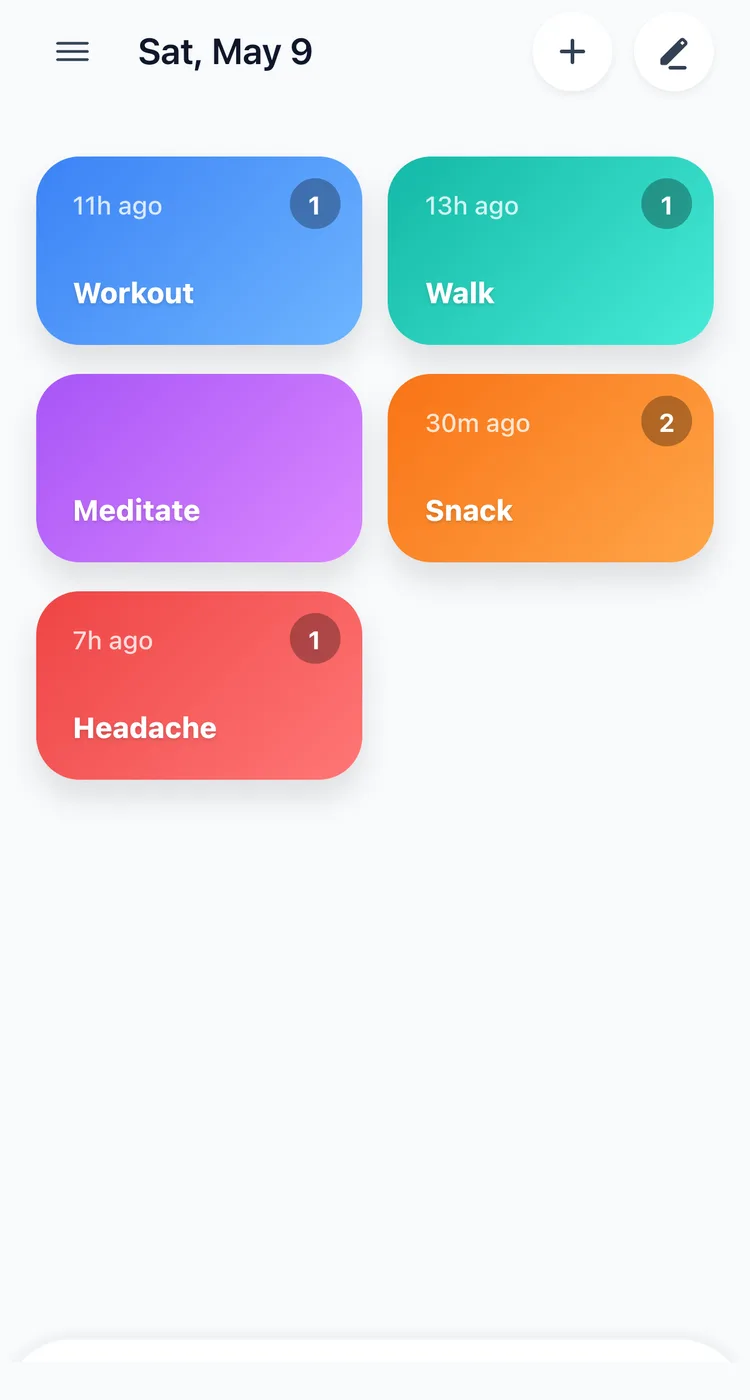
In v1.2, we've added the most requested feature: you can now see how long ago you last tapped each button, right on the home screen.
See Elapsed Time at a Glance
Each button now shows how long ago you last tapped it today, displayed as a small badge in the top-left corner. It shows in minutes or hours: “now”, “30m ago”, “3h ago”.
This is especially useful for tracking things where timing matters within a day:
- Medication. “It's been 4 hours since my last dose. I can take the next one.”
- Hydration. “I haven't had water in 3 hours. Time for a glass.”
Pull to Refresh
Pull down on the home screen to instantly update elapsed times and data. A quick gesture to keep everything current.
Accessibility Improvements
- Improved layout for users with large text accessibility settings
- Better support for various screen sizes, from iPhone SE to Pro Max
How to Update
Update to the latest version on the App Store. The elapsed time display helps you stay aware of your daily rhythms without digging through your timeline.
Related posts
Start recording with a single tap
No signup, just your personal records.