
v1.4 Update: CSV Export
Export your records to CSV files. Download your filtered data anytime.
TapDiary v1.4 Update: CSV Export
Your data belongs to you. Starting with v1.4, you can export all your records as a CSV file.
Export to CSV
Export your TapDiary records in CSV format. The exported file can be opened in any spreadsheet application, whether that's Excel, Google Sheets, Numbers, or something else.
Filter Before You Export
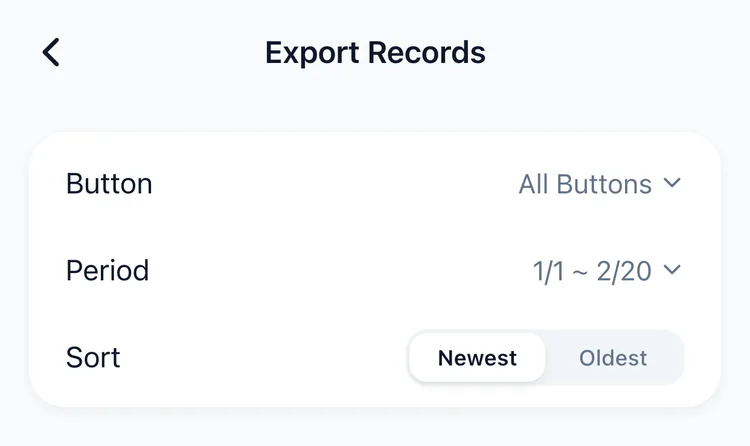
You can export everything at once, or narrow it down to exactly what you need:
- Date range. Set a custom period: the last month, the past 3 months, or any range you choose.
- By button. Export records from specific buttons only.
How to Use It
CSV export is useful in many situations:
- Create charts in your spreadsheet to visualize your habit patterns
- Show your headache or symptom logs to your doctor at your next appointment
- Send your workout records to your personal trainer
- Keep an offline backup of your records
Take Your Data Anywhere
TapDiary never locks your data in. You can export your records anytime and use them however you want. Open them in a spreadsheet, email them, or archive them for safekeeping.
Update to the latest version on the App Store and start making the most of your recorded history.
Related posts
Start recording with a single tap
No signup, just your personal records.