
Introducing TapDiary
The simplest way to track your daily life with just one tap. Here's the story behind TapDiary.
Why We Built TapDiary
There are countless diary apps, habit trackers, and health logging tools out there. But most of them share the same problem: they ask too much of you. Sign up for an account, set up categories, fill in detailed entries. Before long, the act of recording itself becomes a chore.
TapDiary takes a different approach. Just press a button. That's it.
One Tap Is All It Takes
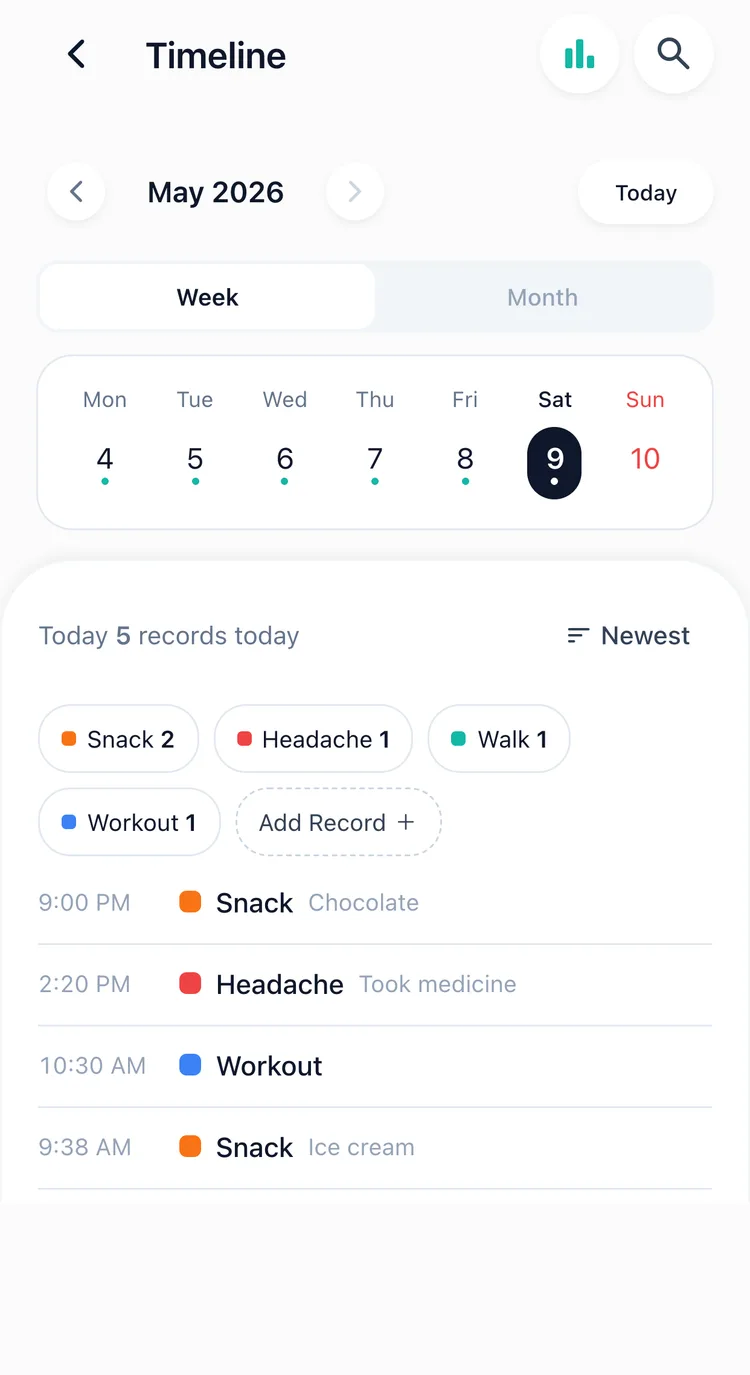
Did you exercise? Tap. Took your medication? Tap. Got a headache? Tap. That's all. The time is recorded automatically, and you can look back on your day in the timeline later.
Each button shows the time since its last entry and today's countThe timeline replays your day in order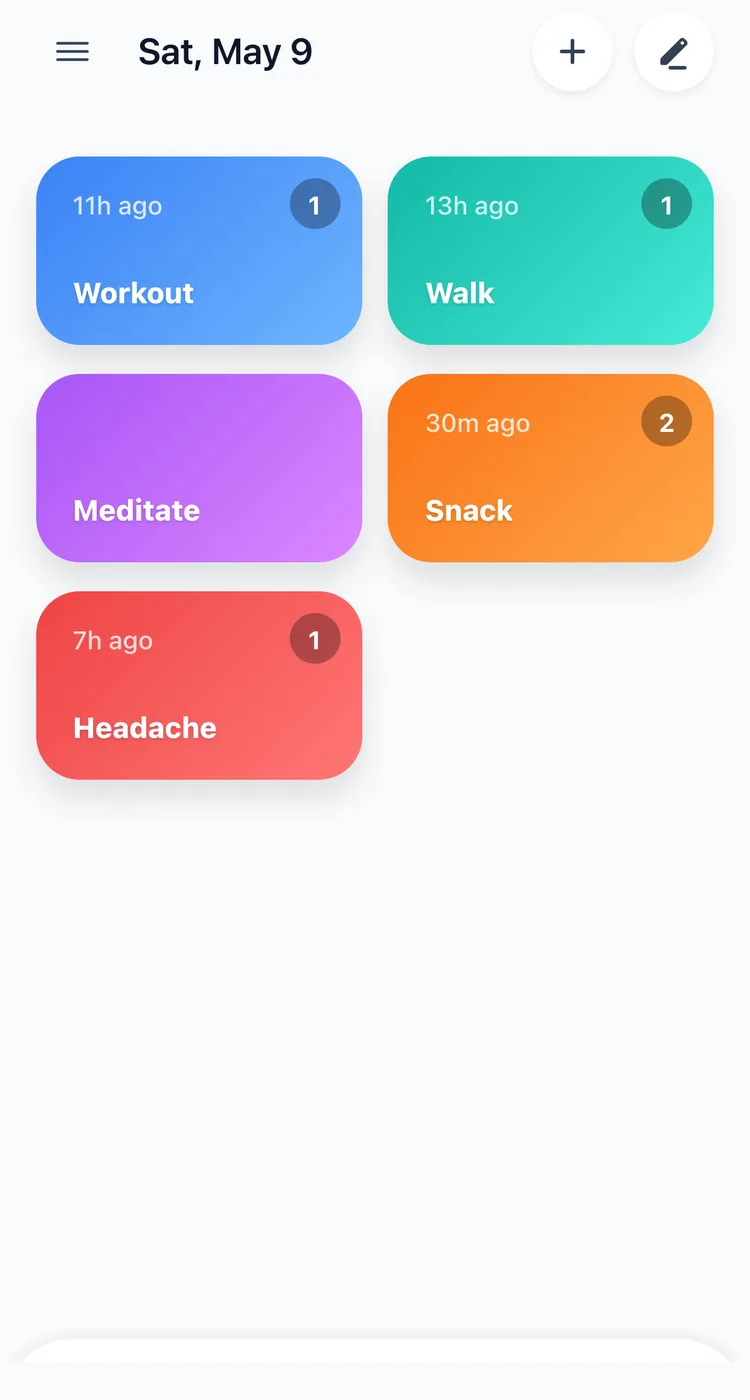
Record Without Opening the App
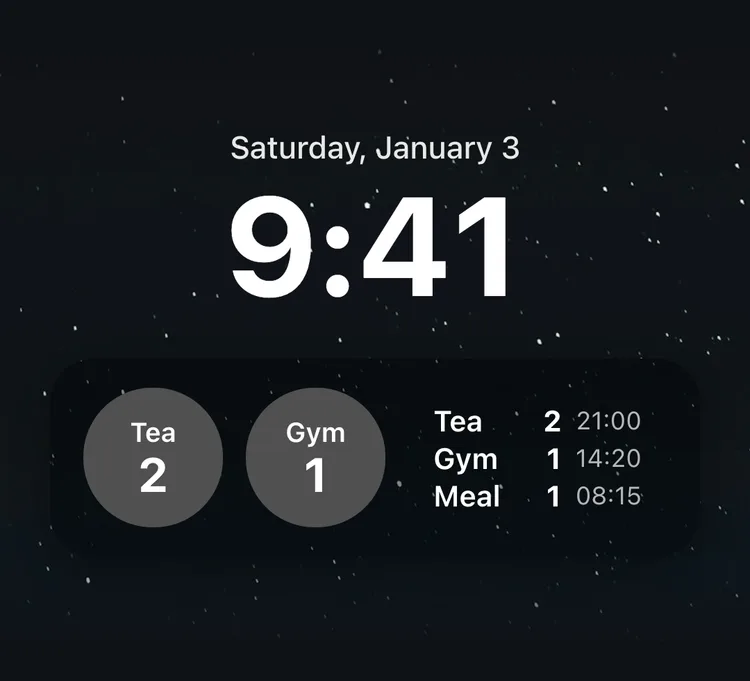
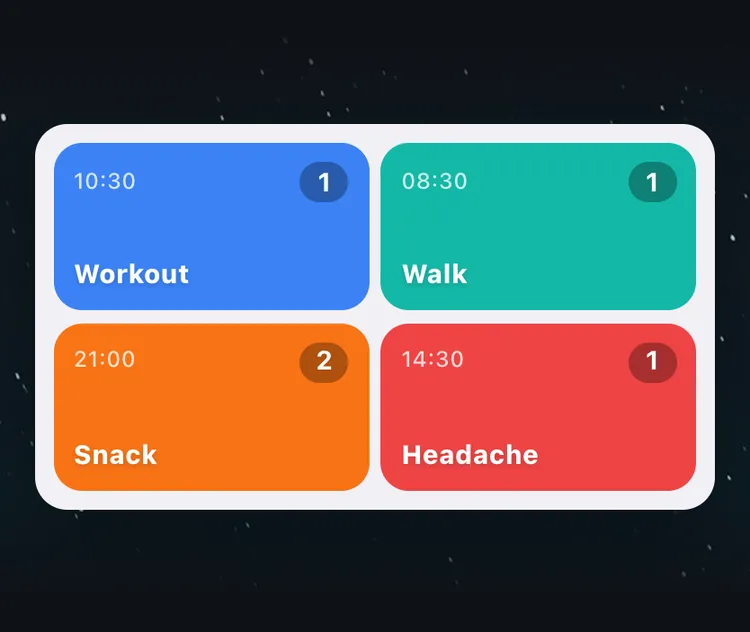
Most missed entries slip away in the time it takes to open the app. You pull out your phone, unlock it, look for the app, and somewhere along the way you forget what you meant to record. So TapDiary puts its buttons outside the app, too.
- Lock Screen widget: record with one tap, without unlocking. Available on iPhone.
- Home Screen widget: keep your most-used buttons on the home screen, and each tile records on its own. Available on both iPhone and Android.
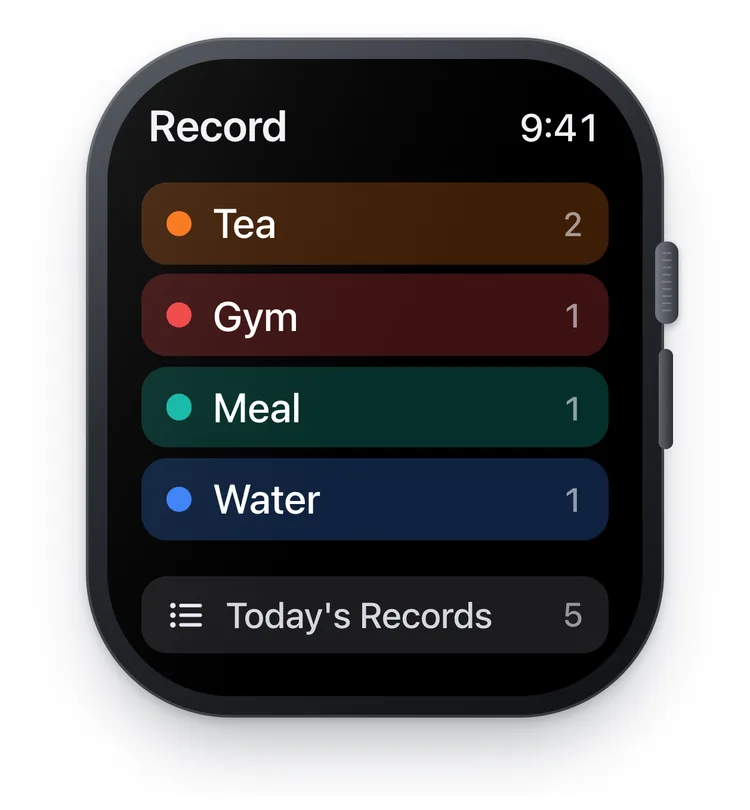
- Apple Watch: record right from your wrist, on the watch face or in the watch app. No need to reach for your phone.
Look Back on What You've Recorded
Records become useful once they add up. As your one-tap entries pile up, you start to see things your memory alone could never tell you.
- Search: find your past records
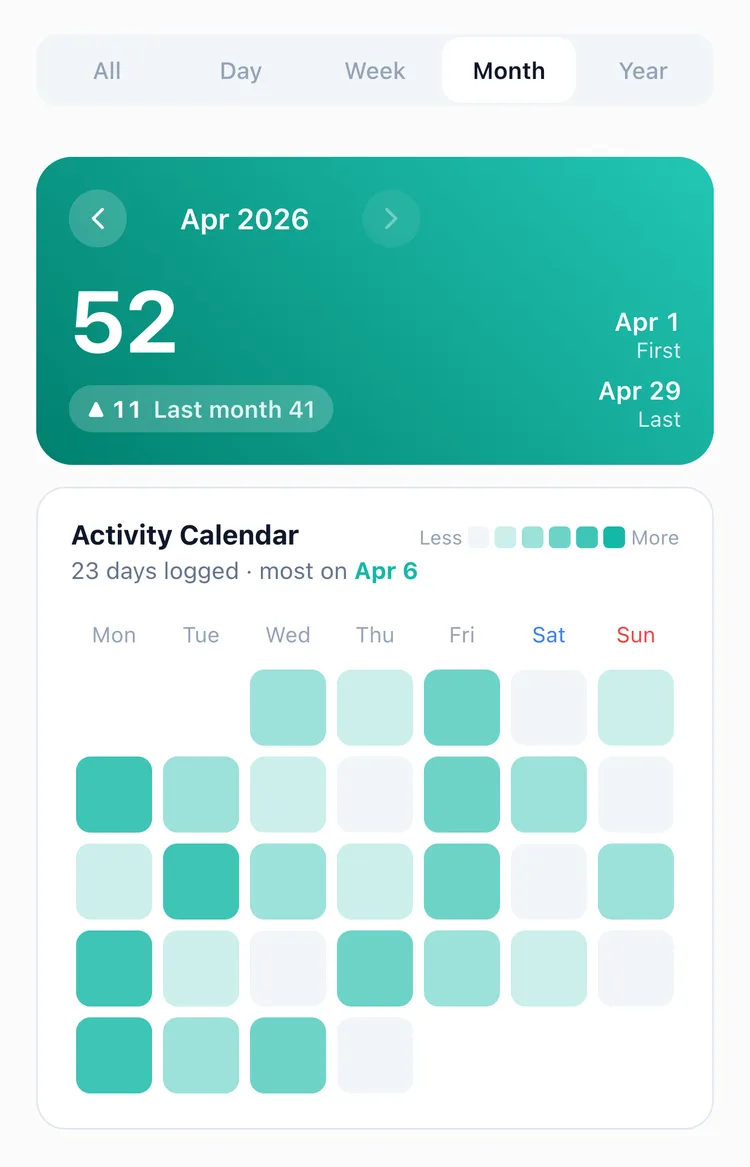
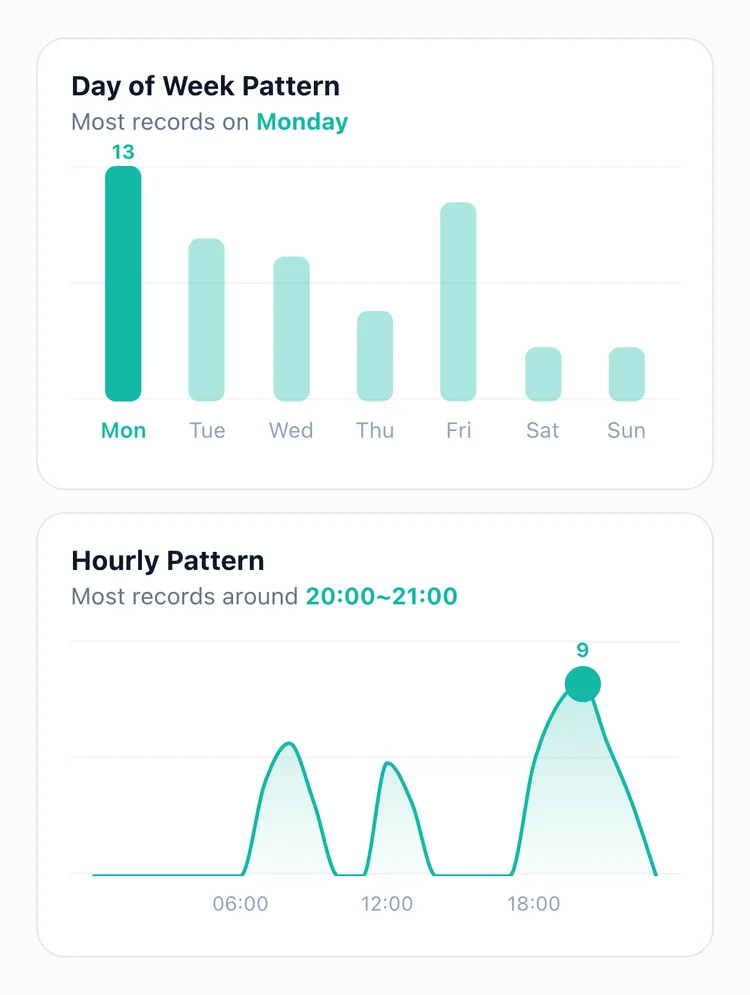
- Statistics: see at a glance how many days you recorded this month, and which days of the week and which hours were busiest
- CSV export: take your records out as a file to open in a spreadsheet or show your doctor
Track Anything
Exercise, meals, sleep, headaches, coffee, water intake, meditation. Turn anything in your daily life into a button. There are no predefined templates, so you can track your day your own way.
Here are a few ways to use it:
- Log when a migraine starts, to find out when they tend to come
- Log when you gave your child fever medicine, to know when the next dose is due
- Log when your cat threw up alongside when it ate, to show the vet
- Pull your symptom log together before an appointment, to show your doctor
What TapDiary Cares About
- Record with one button, with no complex setup or typing
- No account, and no TapDiary server. Your records are stored on your device, and if you turn on iCloud sync on iPhone, they're backed up only to your own iCloud
- Recording has to be easy to happen every day. TapDiary keeps that barrier as low as it can
Get Started Today
TapDiary is free to download on the App Store and Google Play. No sign-up needed: you can make your first button right away. Start recording your day in the simplest way possible.
Related posts
Start recording with a single tap
No signup, just your personal records.