
Discover Patterns in Your Records: TapDiary Statistics Guide
View your recording patterns with daily, weekly, monthly, and yearly statistics. Activity calendar, day-of-week distribution, and hourly patterns, all at a glance.
Discover Patterns in Your Records: TapDiary Statistics Guide
Ever wondered what patterns are hidden in the records you've built up, one tap at a time? With the statistics feature added in TapDiary v1.5.0, you can now uncover your own patterns.
Your Records at a Glance
The statistics screen lets you view your data in daily, weekly, monthly, and yearly intervals. A full summary is also available, giving you a complete picture of your records so far.
The same records, read by whichever period you pick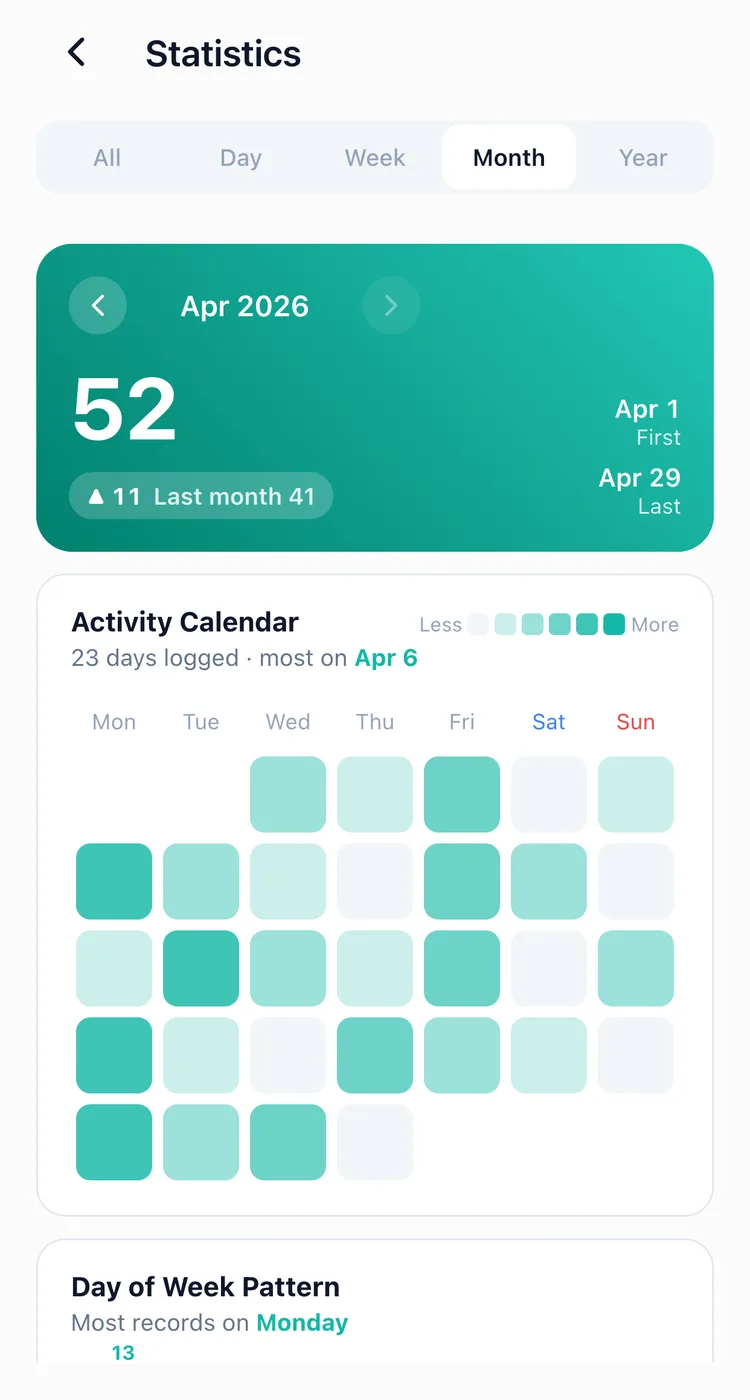
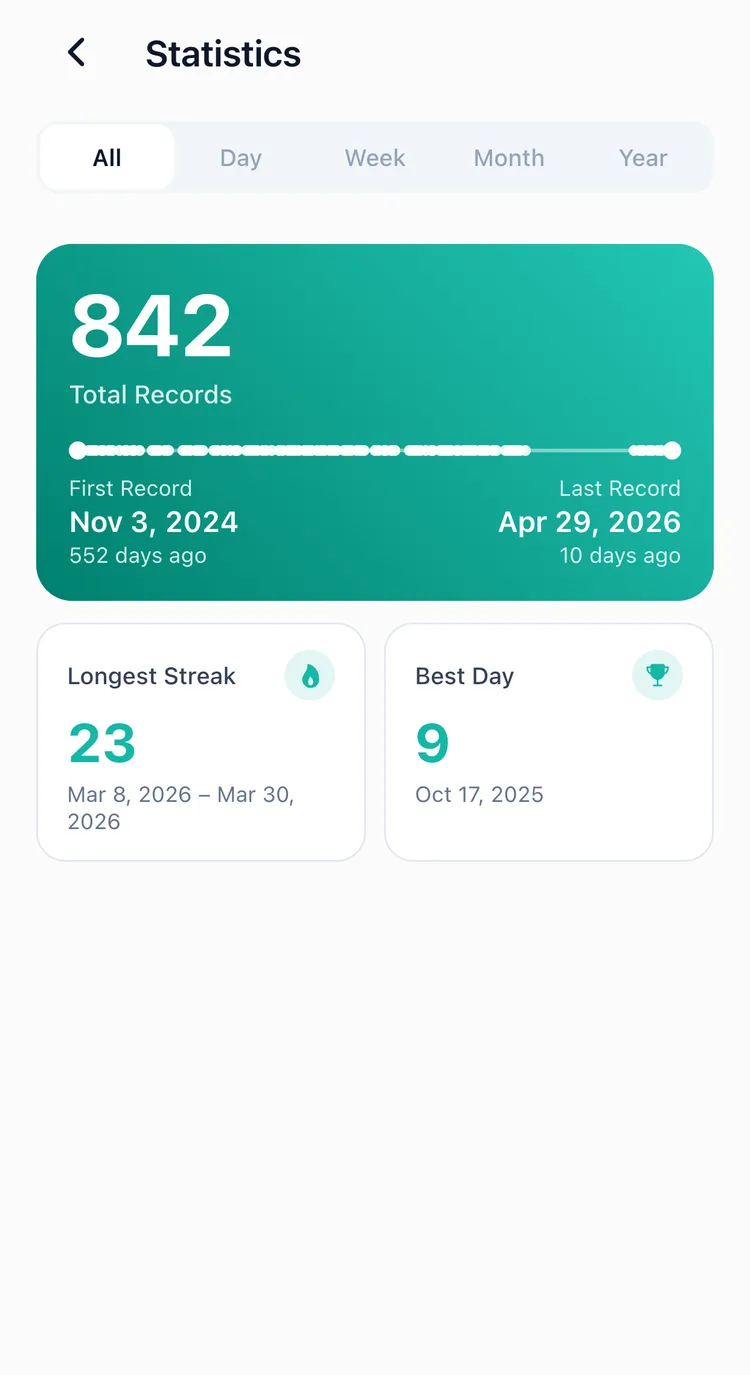
Full Summary
The summary shows the big picture of your records.
- Total Records: the total number of records you've accumulated
- Longest Streak: the longest period of consecutive daily recording, with dates
- First / Last Record: when you started and when you most recently recorded
- Daily Max: the day with the most records and the count
Hourly Patterns
Daily statistics break down your 24 hours by time slot. See when you're most active and the average interval between your records.
It works out the average gap between entries too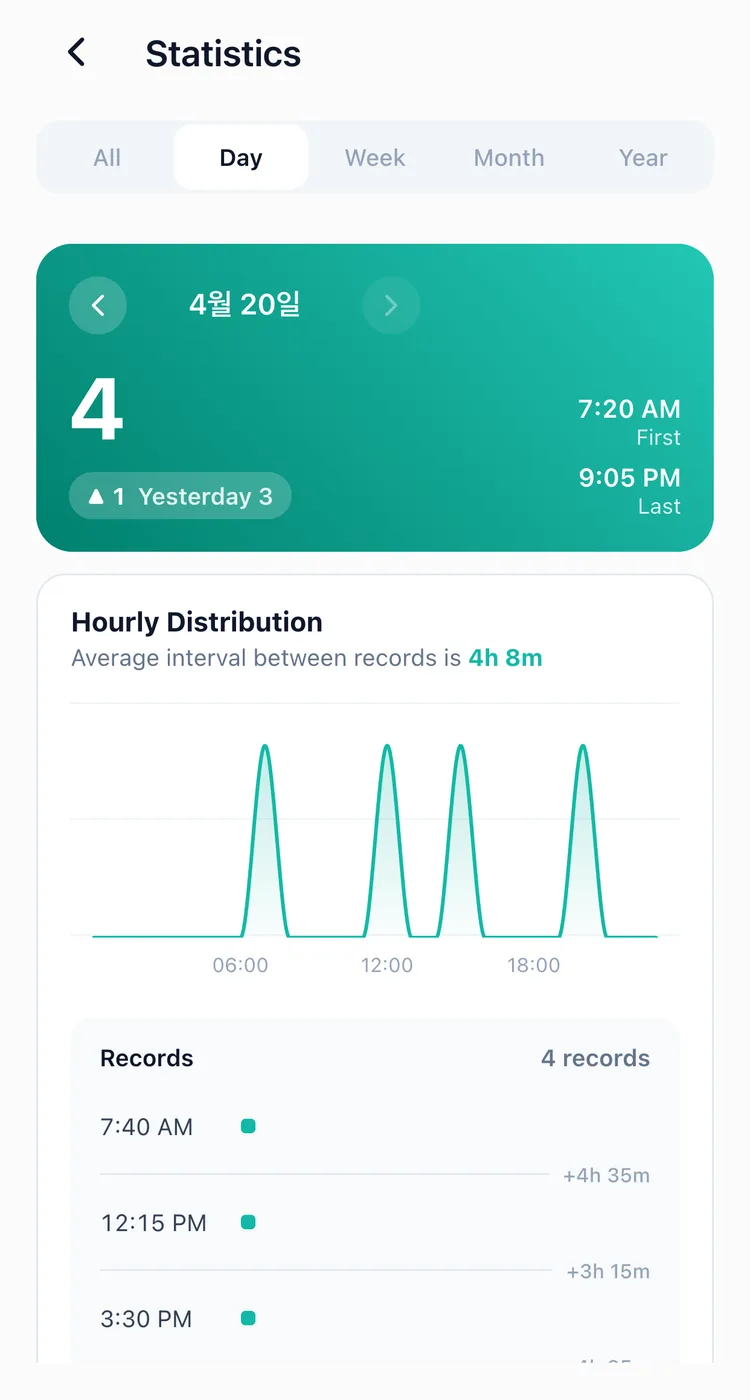
Day of Week Patterns
Weekly, monthly, and yearly statistics show your day-of-week distribution. Do you drink coffee more often on Fridays? Exercise more on Mondays? Discover your own rhythm by day of the week.
It names the day you record on most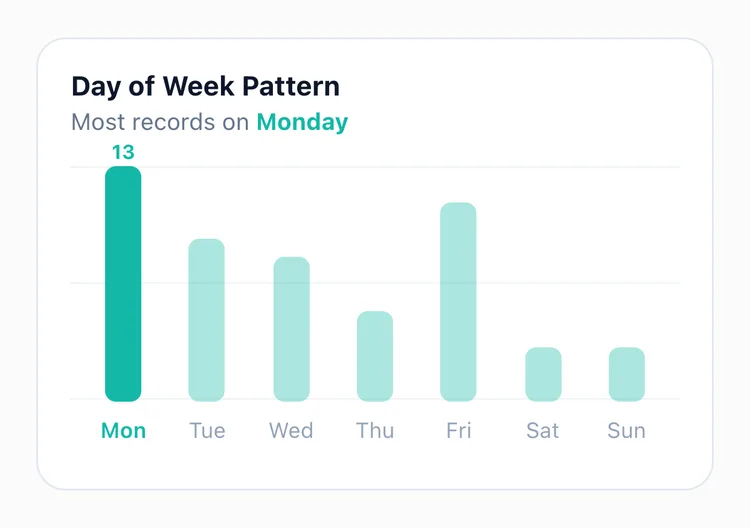
Activity Calendar
Monthly statistics include an activity calendar. A heatmap where color intensity varies by recording frequency, making it easy to see which days had the most activity at a glance.
The darker the day, the more you recorded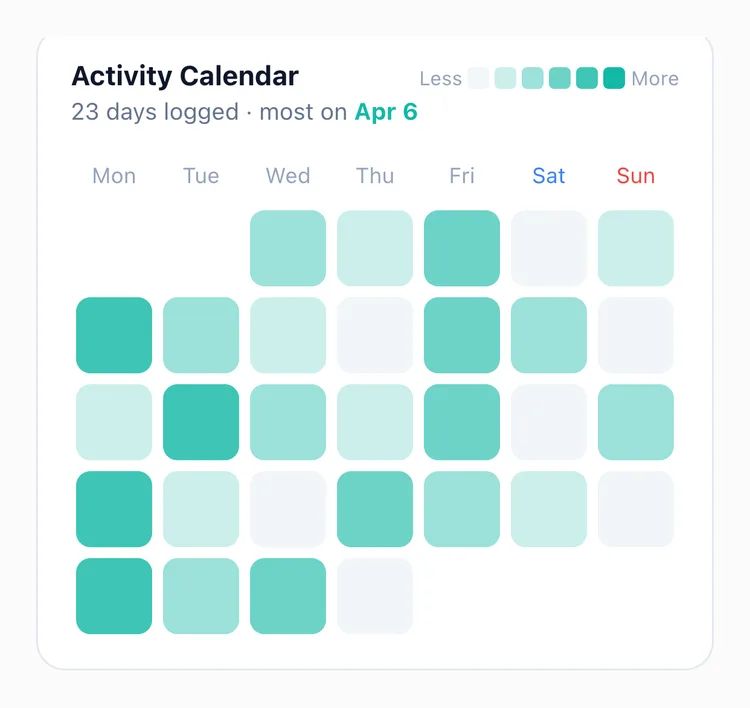
Yearly Activity Graph
Yearly statistics provide an activity graph showing all 365 days at a glance. A monthly trend chart is also included, so you can see which months were your most active.
A whole year and its monthly trend on one screen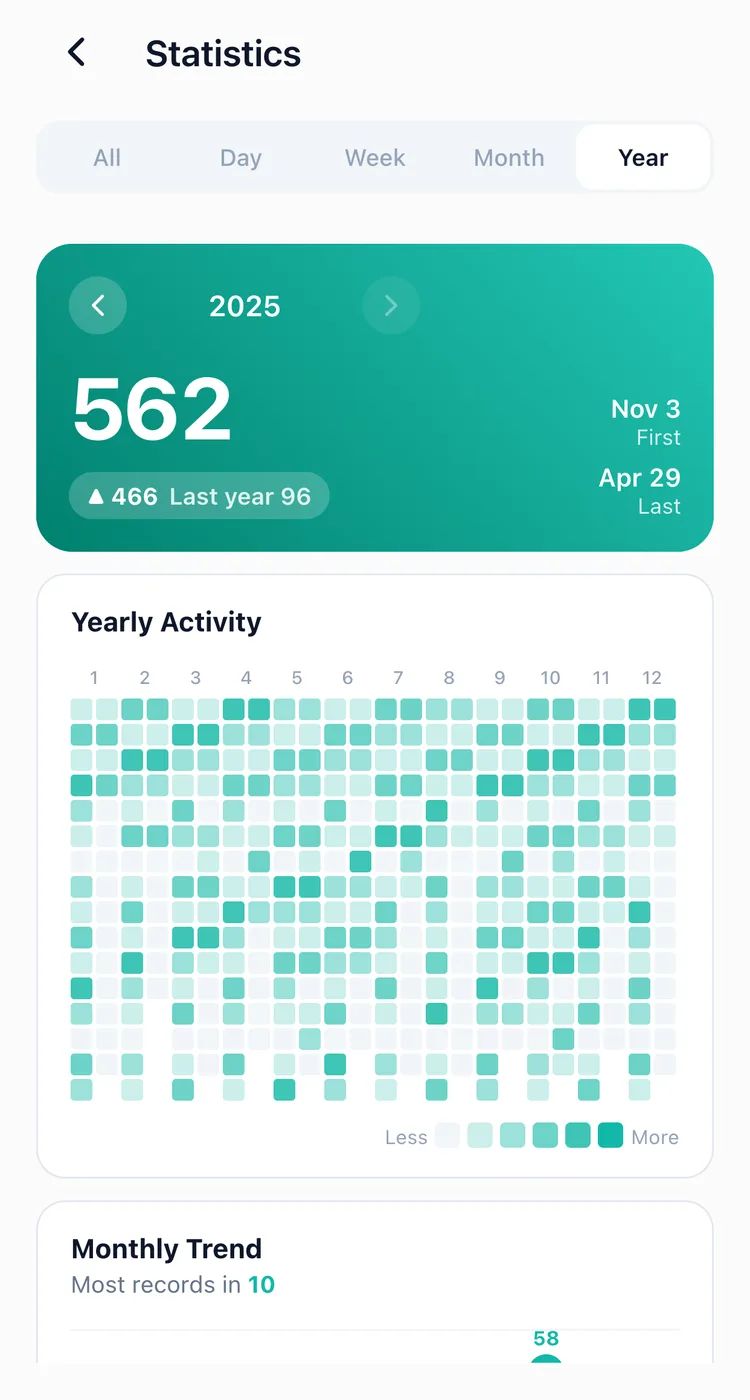
Comparisons and Insights
See at a glance whether your records increased or decreased compared to the previous period. Your most active hours and days are highlighted automatically, no manual analysis needed.
Filter by Button
Select individual buttons to view statistics for just that button. Exercise records only, coffee records only, pick the records you want and analyze them.
Interact with Charts
Tap any bar in a chart to see the list of records for that time slot or day. You can also drag across bars to explore quickly.
Getting Started
Tap the 📊 icon at the top of the timeline screen to open statistics. Try it free for 7 days, no commitment needed.
Related posts
Start recording with a single tap
No signup, just your personal records.