
5 Tips for Effective Daily Tracking
Learn how to get the most out of TapDiary with practical tips for building a consistent habit.
5 Tips for Better Daily Tracking
Just getting started with TapDiary and wondering how to make the most of it? Here are some tips to help you build a consistent recording habit.
Tip 1: Put Your Most-Used Buttons at the Top
In edit mode, you can drag buttons to reorder them. Keep your most-used buttons at the top for faster recording.
Drag a button in edit mode to reorder it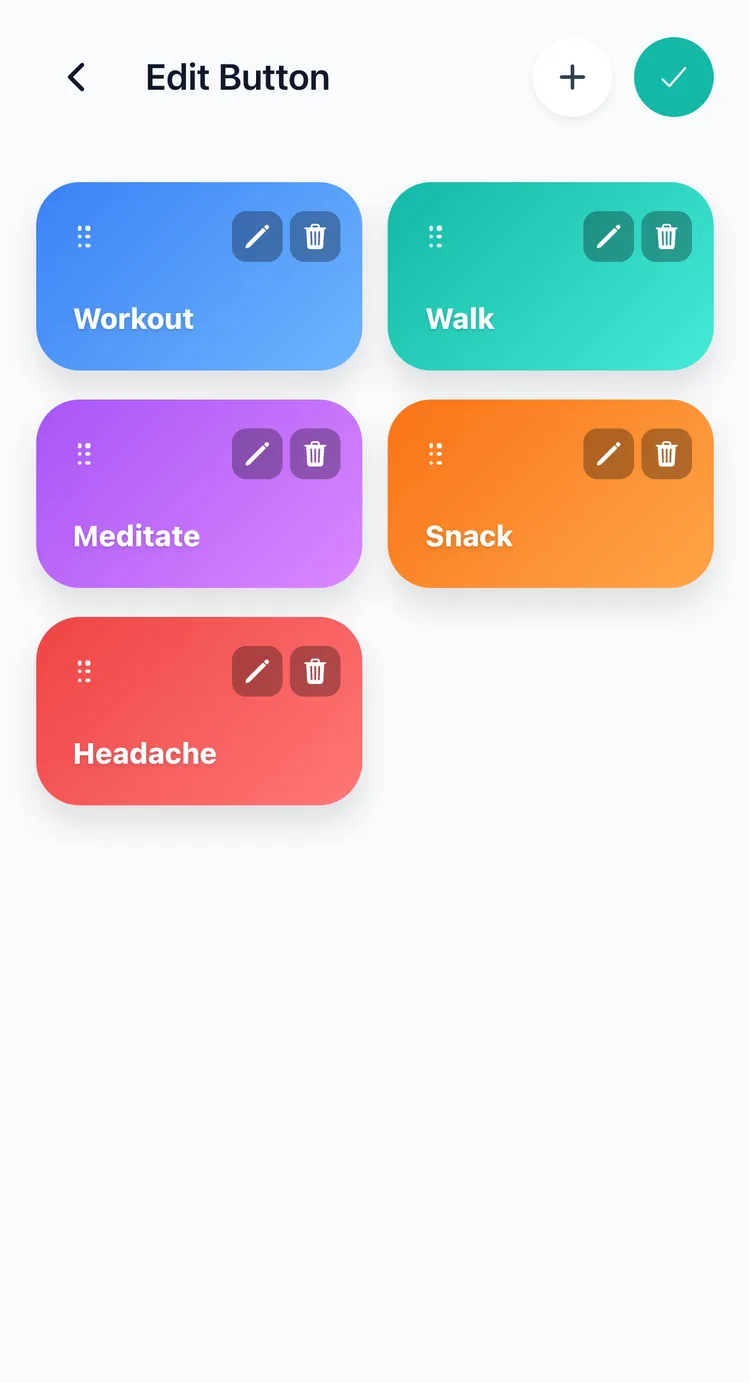
Tip 2: Record the Moment It Happens
If you wait until the end of the day to log everything, you'll forget things. Tap the button right when it happens. It takes one second. This is exactly why TapDiary was built around one-tap recording.
Tip 3: Check Your Timeline Weekly
Records become more valuable as they accumulate. Take a look at your timeline once a week. You might notice something like “I only worked out twice this week” or “I've been having coffee four times a day since Monday.”
Tip 4: Add Context with Memos
After tapping a button, leave a quick memo. Short notes like “chocolate cake,” “30-minute run,” or “left temple” help you understand the details behind a record when you look back at it weeks later.
Every entry can carry a note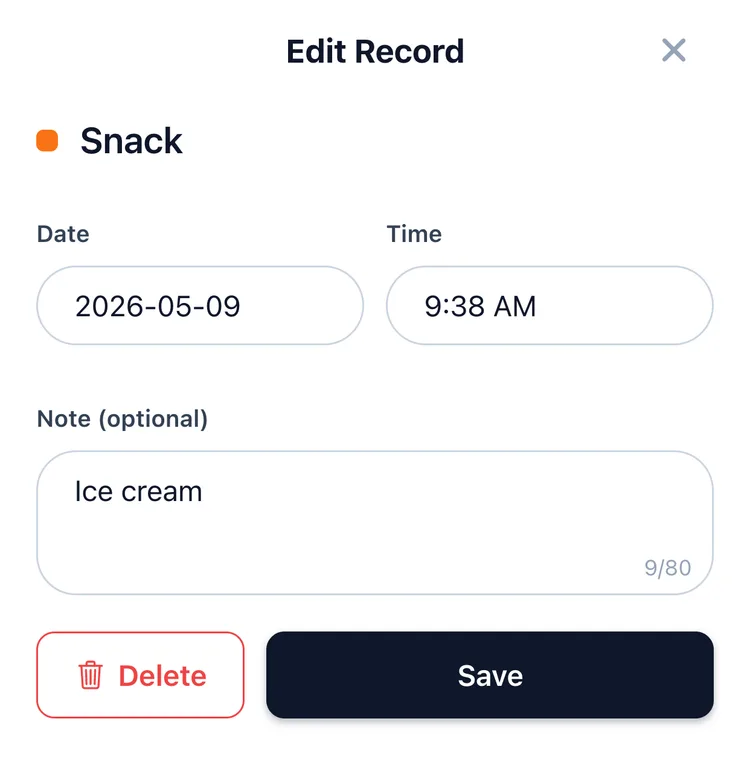
Tip 5: Try the Lock Screen Widget
Add your most-used buttons to the lock screen for even faster recording. You won't even need to open the app.
Related posts
Start recording with a single tap
No signup, just your personal records.