
How to Export Your Records to CSV
Analyze your TapDiary records in Excel or Google Sheets. Learn how to use CSV export to take control of your data.
How to Export Your Records as CSV: A TapDiary Data Guide
Want to take your TapDiary records beyond the app? With the CSV export feature, you can analyze your data in Excel, Google Sheets, or Numbers. Here's a guide to exporting your tracking data.
How to Export
Go to the Search screen in TapDiary. Filter your records by date range or button, then tap the Export button. A CSV file is generated instantly.
This is the export screen in settings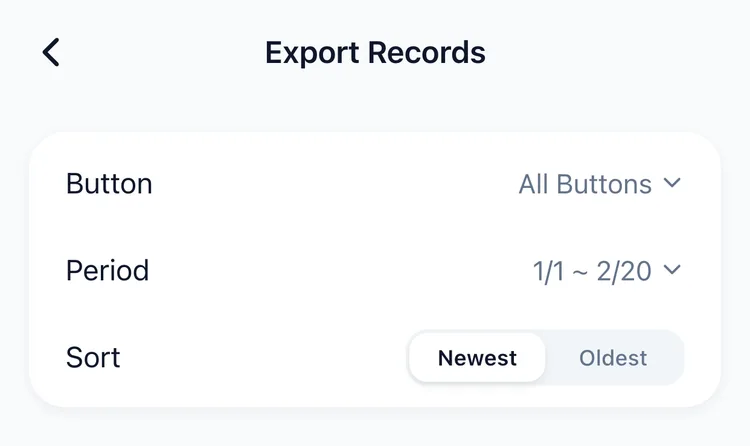
What's Included in the CSV
The exported file contains the date, time, button name, and memo for each record. It opens directly in any spreadsheet application.
Open in Excel, Google Sheets, or Numbers
CSV files work with every spreadsheet program. In Excel, you can use filters, sorting, and pivot tables. In Google Sheets, it's easy to share with others. In Numbers, it fits naturally into the Apple ecosystem.
Use Case: Share Your Exercise Log with a Trainer
Export your workout records and show them to your personal trainer. Instead of vague descriptions, you can share concrete data like “12 weight sessions and 8 runs this month.”
Use Case: Provide Symptom Data to Your Doctor
Export your headache or allergy records and bring them to your next appointment. The data shows exact timestamps and frequency, giving your doctor a clear picture.
Analyze Patterns with Pivot Tables and Charts
Use your spreadsheet's pivot table feature to break down records by day of the week or month. Create charts to visualize trends at a glance. Patterns that are hard to see in the app become obvious in a spreadsheet.
Your Data, No Lock-in
TapDiary doesn't lock your data in. You can export your records anytime and use them wherever you want.
Tip: Export Monthly for Regular Review
Build a habit of exporting last month's records at the start of each month. Regular reviews help you spot trends and make better decisions about your habits.
Related posts
Start recording with a single tap
No signup, just your personal records.